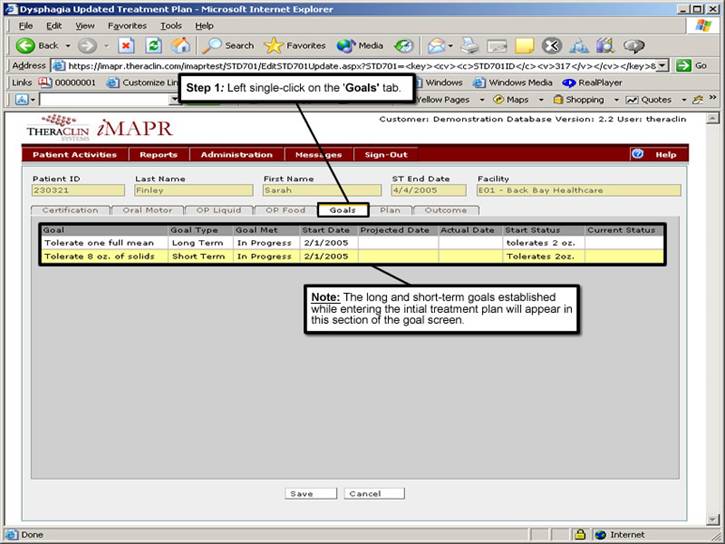
Step 10: Viewing Patient Goals
1. Left single-click on the ‘Goals'.
Note:
The long and short-term goals established while entering the initial assessment will appear on the lower-half section of the goal screen.
See Also:
Step 1: Accessing the Speech Therapy - Dysphagia
Discontinued Patient Chart Menu
Step 2: Selecting the Patient
Step 3: Selecting the Patient's Plan
Step 4: Accessing the Updated Treatment
Plan Selection Screen
Step 5: Viewing an Updated Treatment Plan
Step 6: Viewing the Patient Certification Information
Step 7: Viewing the Oral Motor Information
Step 8: Viewing the OP Liquid Information
Step 9: Viewing the OP Food Information
Step 11: Viewing the Patient Treatment Plan